By PURPLELEC | 26 September 2025 | 0 Comments
2025 Minimalist Desk Guide: Creating a Productive and Comfortable Workspace
When your desk is cluttered, it's hard to focus. A minimalist desk layout creates breathing space, reduces clutter, allows you to get to work quickly, and avoids minor distractions. The goal isn't to make the space perfect, but to make it work for you. Below, we'll introduce simple rules for a minimalist desk setup and share ten ideas to keep it tidy and convenient in 2025.
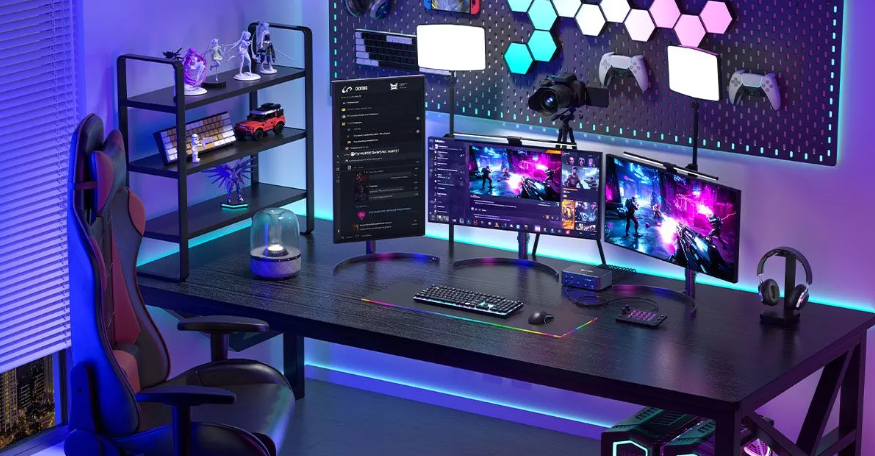
Basic Principles of a Minimalist Desk Setup
A minimalist desk layout aims to create a workspace free of extraneous noise. It's not about eliminating everything, but keeping only what helps you get the job done.
1. Keep only the essentials: Keep daily tools like your laptop, notebook, and mouse on your desk, and store everything else in drawers or on shelves.
2. Prioritize comfort: Arrange your desk so it's comfortable for your body. Adjust the distance between your keyboard and mouse, and position your monitor at eye level with the top of the screen.
3. Cable Management: Loose cords can easily clutter your desk. Keep them out of sight with clips, cable sleeves, or small trays. Use a compact desktop charging hub or under-desk power strip for centralized charging, and opt for wireless connections whenever possible.
4. Choose the Right Desk: A desk that's too small can appear crowded, while one that's too large can appear cluttered. Choose a desk that fits the room and your work needs, and pair it with a supportive chair to ensure comfortable sitting even for extended periods.
5. Good Lighting: Natural light near a window helps keep your eyes clear and your mind refreshed. In the evening or on overcast days, add a simple lamp. The warm, even light creates a cozy and inviting space without glare.
6. Quick Reset: A clean desk requires daily maintenance. At the end of each day, take a minute to clear away papers, cups, or small items, and you'll feel refreshed and ready to start the next day.

10 Minimalist Desk Ideas for 2025
These ten ideas will help you achieve a minimalist, comfortable, and functional desk in 2025.
1. Laptop-Only Setup: With proper placement, a single laptop is sufficient. Elevate the screen with a slim stand to reduce neck strain, and pair it with a wireless keyboard and mouse to give your arms a natural rest. Keeping just a few tools on your desk frees up space for notes, drinks, and a clean surface.
2. Standing Desk Setup: Switch between sitting and standing positions to stay active throughout the day. A height-adjustable desk makes switching between positions easy and clutter-free. Keep your desktop simple, just enough for your main device, keyboard, and mouse. Use clips or sleeves to pull cables down from the legs to prevent them from drooping. The open space under the desk is both aesthetically pleasing and promotes healthy posture.
3. Compact Desk Setup: A small desk can be effective in a small space if you keep it tidy. Place your laptop, desk lamp, and storage box (for pens and cables) on the desk, and use a wall shelf or a small drawer nearby to store other items. This setup is suitable for bedrooms, living rooms, or shared apartments, as it doesn't take up too much space. Wall-mounted or folding desks are space-efficient, adding to the spaciousness of the room without sacrificing workspace. It can be unfolded for writing and folded away to free up floor space for yoga or dancing.
4. Dual Monitor Setup: More screen space doesn't necessarily mean more clutter. Mount two monitors on a single stand, allowing them to float above your desk and free up space underneath. You only need a keyboard, mouse, or even a small laptop to free up extra desk space. This setup is ideal for programmers, designers, or those who need to work with multiple windows simultaneously. A docking station is useful for avoiding cable tangles. The Purplelec DS015 Docking Station (15-in-1, Triple Display, DisplayLink) is designed specifically for this purpose. Equipped with two HDMI 2.0 ports and one DisplayPort, it can connect up to three external monitors simultaneously (supporting up to 8K/4K/4K), each displaying a different content. It also provides up to 140W of laptop charging power and features multiple USB-C and USB-A ports, Ethernet, audio, and an SD card slot. A built-in smart screen displays charging status, resolution, and performance, while a stable cooling system ensures a powerful and clutter-free dual-monitor setup.

5. Natural Elements Setup: A touch of nature can bring warmth to a minimalist desk. A wooden tabletop, a small potted plant, or natural light from a window can add balance to clean lines. Limit your decor to one or two pieces to avoid overcrowding. Fresh air, greenery, and a clean surface create a calming and functional setting.
6. Monochrome Setting: A monochromatic theme creates a calm and unified desk. Many people choose all-white or all-black, but any neutral hue will work. Coordinate your desk, chair, and accessories to avoid any distractions. This style is particularly well-suited for a minimalist gaming table. The unified color scheme helps maintain a clean, functional, and focused space even when used with a large monitor or accessories.
7. Work + Creative Setting: If your desk combines work and personal pursuits, keep it simple and flexible. Place your primary tools (like a laptop and monitor) front and center, leaving a corner for a drawing board, tablet, or music device.
8. Wireless Charging Setting: Cables often clutter an otherwise neat office environment. A wireless charging dock allows you to charge multiple devices in one place, keeping them organized. Instead of having three cables crisscrossing your desk, you can use a single dock to store your phone, headphones, and watch.
9. Home + Office Hybrid Setup: Create a desk that balances work and personal time. Choose easily movable furniture, such as a standing desk converter, a mobile monitor stand, or a shelf on wheels. Keep only the essentials on your desk, and store the rest in nearby storage. A comfortable chair and the right desk height ensure you're relaxed whether working or relaxing.
10. Analog-Friendly Setup: Arrange your desk for easy access to pen and paper. Keep a planner, handy pens, or sketchbooks close at hand, and use small trays to store office supplies so they don't clutter or take up space. Add a corkboard or magnetic board for notes and photos. Try using wood or simple metal objects for a calming effect. To create more space for paper supplies, place your computer to the side. This setup can help you slow down and improve focus.
Conclusion
A minimalist desk setup is all about creating a focused and comfortable workspace. Start with the basics and explore different styles to create a desk that works for both work and life. Whether you prefer a simple laptop desk, a standing desk, or a more creative design, the goal is to reduce clutter and improve clarity. Small changes today can make your workspace more relaxing, quiet, and future-proof.
Analysis of the Differences between USB 3.0, 3.2 Gen 1, and 3.2 Gen 2
USB Hubs rely on the following key mechanisms to achieve data transmission with multiple devices usi
Leave a Reply
Your email address will not be published.Required fields are marked. *