By PURPLELEC | 05 November 2025 | 0 Comments
eGPU Paradox Performance at Low Bandwidth
Although external graphics processing units (eGPUs) are connected via Thunderbolt 3, Thunderbolt 4, or USB4 interfaces—with a theoretical bandwidth (approximately 5 GB/s) significantly lower than that of a desktop PCIe 4.0 x16 slot (approximately 32 GB/s)—the actual performance degradation in practice is typically only 10%–20%, rather than the severe loss one might extrapolate based on bandwidth ratios. This outcome is determined by several key factors:

1.GPU Does Not Continuously Saturate PCIe Bandwidth
Contrary to common misconceptions, graphics cards do not constantly exchange large amounts of data with system memory over the PCIe bus during operation. Once the necessary textures, shaders, geometry data, etc., for a game or application are loaded into the GPU's dedicated video memory (VRAM), they remain and are reused locally. Rendering operations are primarily performed within the VRAM, and the PCIe bus is only engaged when loading new resources or transferring data back. Thus, while Thunderbolt/USB4 bandwidth is limited, it rarely becomes a persistent bottleneck.
2.PCIe Bandwidth Is More Than Sufficient for Most Applications
The designed bandwidth of PCIe x16 far exceeds the actual requirements of most games and professional graphics software (e.g., CAD/CAM/GIS). This standard primarily reserves headroom for extreme scenarios (such as GPU-accelerated computing or AI training). The actual bandwidth demand hierarchy is as follows:
The practical bandwidth performance of eGPUs is similar to PCIe 3.0 x4, resulting in only a moderate performance penalty in games.
3.Data Transfer Mechanisms Are Highly Optimized
Caching and Single Transfers: The eGPU system and drivers cache data whenever possible to avoid redundant transfers.
Localized Display Output: If the monitor is directly connected to the graphics card's output ports within the eGPU enclosure, the rendered image does not need to be sent back via Thunderbolt/USB4, conserving bandwidth.
Compression and Scheduling Optimization: Some data is compressed during transfer, and tasks are prioritized to utilize available bandwidth more efficiently.

4.Performance Varies Significantly by Use Case
Gaming: Since the workload is primarily handled within the GPU, performance loss is usually only 5%–10%.
GPGPU/AI Computing: These tasks frequently exchange large datasets with system memory, so bandwidth limitations may lead to more noticeable performance degradation.
Display Connection Method: Using the laptop's built-in screen requires the rendered frame to be sent back via Thunderbolt/USB4, potentially adding an extra 5%–15% performance penalty.
Summary
eGPUs can maintain high performance despite limited bandwidth due to the following reasons:
Graphics cards heavily rely on their local VRAM;
Most graphics applications do not fully utilize PCIe x16 bandwidth;
Data transfer processes are thoroughly optimized;
In common scenarios, the GPU's own computational power often becomes the bottleneck before the interface bandwidth.
Thus, even high-performance graphics cards in eGPU setups can typically deliver about 80%–90% of their desktop performance, making them a practical solution for enhancing the graphical capabilities of laptops.
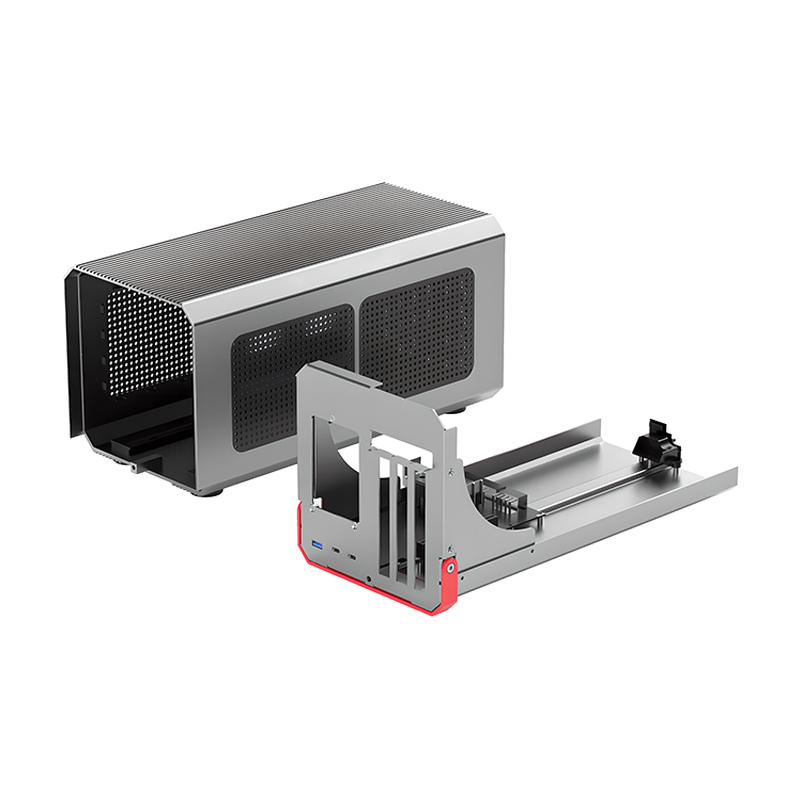
We invite you to learn more about PRUPLELEC’s range of eGPU docks and complete solutions: the PEC-TD001M1 model eGPU enclosure, bringing flexible and powerful graphics performance to your mobile workstation.
The Professional’s Guide to Thunderbolt Video Capture Cards
Live Gamer 4K HDMI Capture Card for Game Capture
Leave a Reply
Your email address will not be published.Required fields are marked. *