For players who chase raw performance and the freedom to upgrade module by module, a desktop is still the ultimate pick. But gaming laptops have come a long way, and the performance gap between the two has narrowed dramatically.
Today's gaming laptops pack desktop-class silicon, pair it with increasingly aggressive cooling, and keep the one thing a desktop can never offer — portability. A modern gaming laptop is no longer just a "game console you can carry." It has grown into a mobile workstation that handles AAA titles, 4K video editing, and AI-driven workflows. Just don't let the price tag do your thinking for you — what matters is the long-term value behind the spec sheet.
Here are the components that genuinely shape your day-to-day experience and decide how many years the machine stays relevant.
1. Display: Size, Resolution, Refresh Rate
15-inch and 17-inch models are still around, but the mainstream sizing is shifting. The industry is moving toward 16:10 panels at 14, 16, and 18 inches, where the extra vertical space helps with immersive gaming as well as productivity work like coding or video editing.
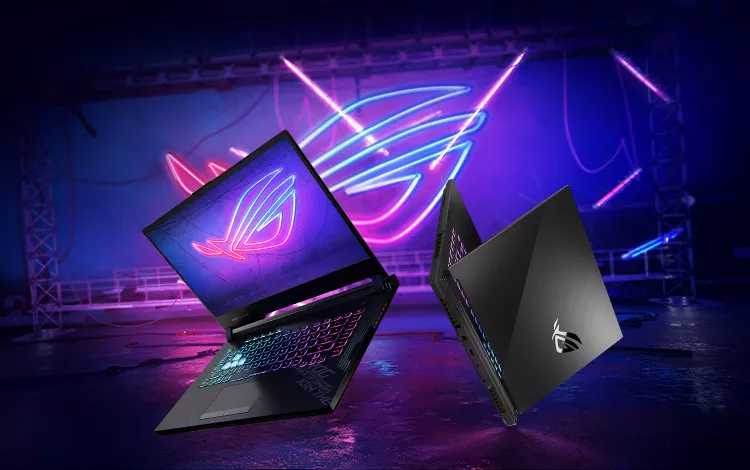
A money-saving angle: if you already plan to run a large external monitor as your main screen, a smaller built-in panel is often the smarter buy. When the laptop's own screen is just a secondary display, there's no need to pay a premium for it.
Once size is settled, look at resolution — the total number of pixels on screen. More pixels, sharper image. Budget models still sit at 1080p, but 1440p (QHD) is now the sweet spot between performance and clarity. Creative professionals should keep an eye on OLED and Mini-LED panels, which deliver true blacks and HDR depth that traditional LCDs simply can't match.
Finally, refresh rate, measured in hertz (Hz), tells you how many frames the screen can draw per second — a 100Hz panel shows 100 frames a second. Higher is better here. For genuinely smooth, responsive gameplay, treat 144Hz as your starting line.
2. CPU: Cores, Clock Speed, and Now AI Power
The processor is still the brain of the machine, but its job is widening. The newest chips (such as Intel Core Ultra and AMD Ryzen AI series) now ship with a dedicated NPU that offloads AI tasks — noise cancellation on calls, webcam-background blur during a stream — without stealing performance from your game. Three things matter when picking a CPU:
• Core architecture: Favor a "hybrid" design (performance cores plus efficiency cores). The efficiency cores sip power while you browse; the performance cores cut loose when you game.
• Clock speed: The GHz figure matters, but architectural efficiency matters more. Modern CPUs can boost to high frequencies in an instant — whether they hold that boost comes down to cooling.
• Latest generation: Naming changed again in 2026, so steer clear of old silicon. Look for Intel Core Ultra Series 2 or 3 (which replaced the old i7/i9 branding) or AMD Ryzen AI 300/400 series.
Want more headroom? Choose a laptop with an overclockable processor and push the clocks higher. But remember the iron rule: the faster a CPU runs, the hotter it gets — and laptops with marginal cooling are exactly where that becomes a problem. Check the thermal headroom before you overclock.
3. RAM: Capacity First, and Check If It's Even Upgradable
"Gaming laptops always let you add memory" — that's an outdated assumption. Many modern models, especially thin-and-light ones, now use soldered (fixed) RAM. Whatever capacity you buy is the capacity you're stuck with for the machine's entire life.
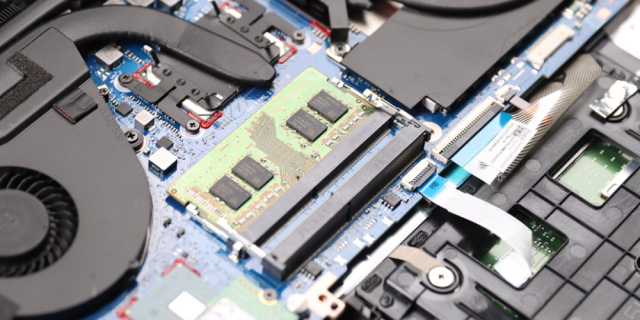
Manufacturers lean on soldered LPDDR5X because it noticeably extends battery life. That sounds great, but the trade-off is losing any path to more memory down the road.
• 32GB is the new sweet spot: 16GB used to be enough, but modern AAA games plus AI workflows are hungrier. If you're buying soldered RAM, don't go below 32GB.
• Upgradability: If long-term use matters, pick a model with memory slots (SODIMM / CSODIMM). You can start with an affordable 16GB version and upgrade to faster, larger modules later.
• What's next: Watch for the new LPCAMM2 standard — a flat, modular memory format that finally brings upgradability to slim systems built on LPDDR5X.
4. Storage: NVMe to Start, PCIe 5.0 to Future-Proof
A solid-state drive (SSD) beats a same-tier mechanical hard drive (HDD) on nearly every front: far faster read/write speeds, quicker loading of files and programs, and shorter boot times for both games and the OS. With no spinning parts, it also runs cooler than an HDD.
• Almost every gaming laptop ships with an NVMe M.2 SSD, but some entry-level or lifestyle models now solder the primary drive to the board. Before buying, confirm the SSD sits in a standard slot you can swap or upgrade later.
• A second slot is gold: Prefer a model with a second M.2 slot. Better gaming laptops usually offer two — keep the factory drive for Windows and add a high-capacity drive later.
PCIe 5.0 for the long haul: If the machine supports PCIe Gen5, a Gen5 NVMe SSD shaves loading times even further and keeps the laptop ahead of the curve for years.
5. GPU: Ray Tracing, DLSS, and FSR
The GPU paints pixels into the image on your screen, working with the CPU to produce smooth frame rates at high resolution. Every laptop has a GPU, but most are integrated into the board — fine for everyday users.
A gaming laptop, though, needs a discrete GPU like NVIDIA's RTX 50 series (Blackwell architecture) or AMD's latest mobile Radeon RX 8000. This generation hits high frame rates through neural rendering — instead of drawing every pixel the traditional way, it reconstructs the image with techniques like DLSS 4 and FSR 4, and can even "generate" entire frames. That lets modern laptops run ray tracing at higher resolutions, something once reserved for desktops.
- VRAM: As game textures get richer, video memory is becoming a key longevity factor. 8GB used to scrape by; today, 12GB is the recommended baseline for smooth 1440p gaming.
- DLSS 4: Pay special attention to DLSS 4, exclusive to the 50-series architecture. Unlike the previous "one inserted frame to double" approach, DLSS 4 uses multi-frame generation to add up to three extra frames for every traditionally rendered one — pushing even demanding AAA titles comfortably past 144Hz.
6. The Unavoidable Catch — and the eGPU Workaround
The biggest compromise in any gaming laptop is that the CPU and GPU are soldered to the board, with no desktop-style generational upgrades. The graphics card you buy is the graphics card you keep for years.
There is, however, a middle path — the external GPU (eGPU). Over a high-speed interface like Thunderbolt or USB4, you can connect a full desktop graphics card to your laptop: plug in for demanding games, video editing, or 3D rendering, then unplug and travel light. One machine, both portability and desktop-grade graphics.
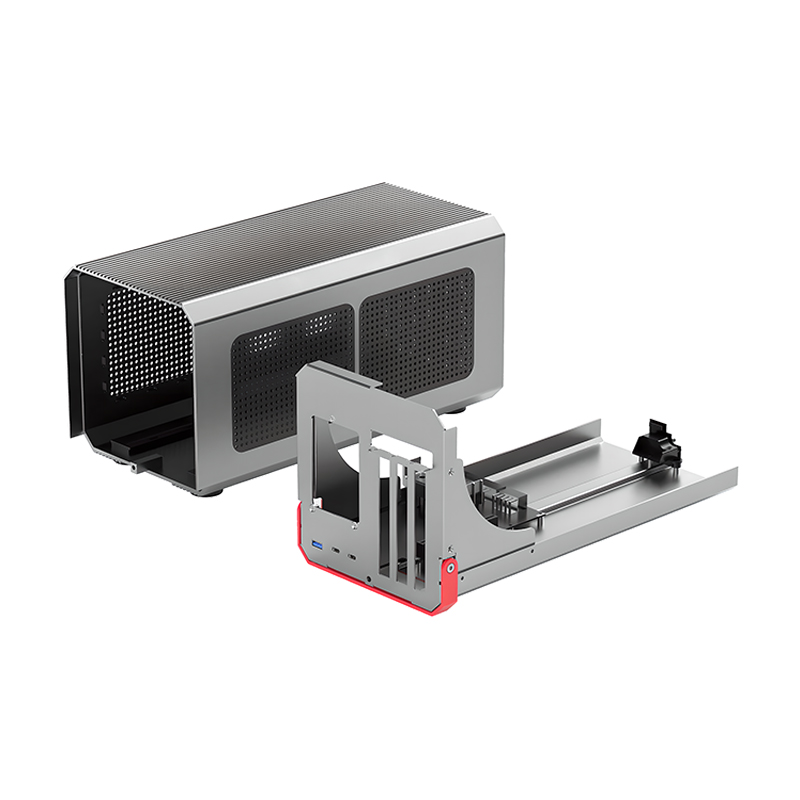
At the heart of any such setup is an eGPU mainboard (PCBA) that handles power delivery and high-speed data conversion. Take PURPLELEC's TD001 eGPU solution as an example: it integrates the high-speed interface, power delivery, and graphics-card lanes onto a single board, making an external desktop GPU essentially plug-and-play — effectively giving a laptop with a soldered GPU a back door to "upgradable graphics." For users who want a thin, portable machine without surrendering graphics performance, an eGPU is a middle ground worth serious consideration.
Balance "Plays Now" Against "Lasts for Years"
Ultimately, choosing a gaming laptop is a balancing act between immediate experience and long-term durability. You can't swap the CPU or GPU, so shift your attention to the parts you can upgrade — max those out, and make sure the machine leaves room to grow.
One practical habit before you buy: search for a teardown video of the exact model and see whether the internals are user-serviceable or permanently soldered to the board. Knowing in advance whether you can add RAM, swap the SSD, or even attach an external GPU is what keeps your machine a long-term workhorse — instead of an expensive paperweight.









