Have You Ever Thought About Why Chat Apps on Your Phone Can Quickly Access the Camera Function? Or How Travel Apps Obtain Real-Time Flight Information from Airlines?
Behind these everyday digital experiences lies a technology known as "Application Programming Interface" (API).
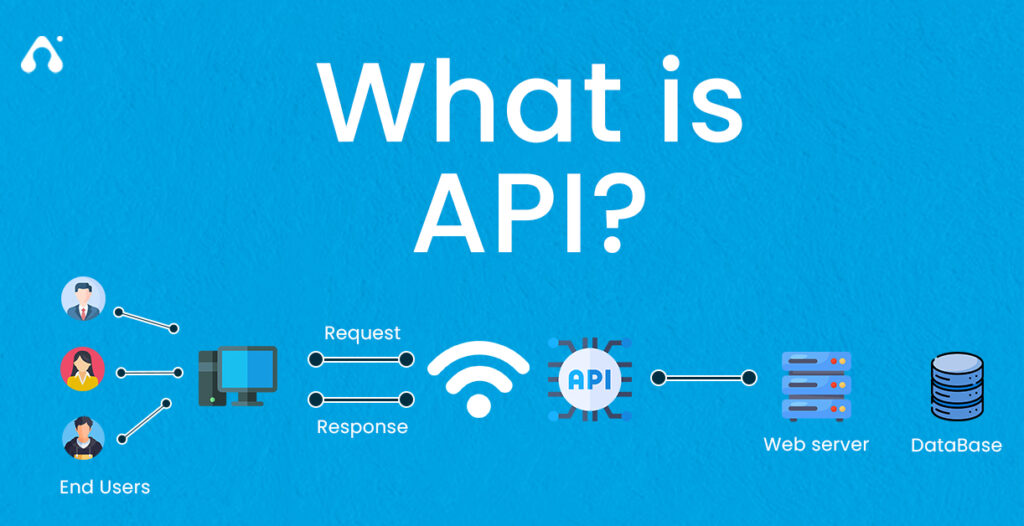
What Is an API?
An API, or Application Programming Interface, is a set of protocols that serves as a bridge for communication and data transfer between different software components. Developers can use APIs to skillfully bridge the gaps between small, independent code blocks, thereby creating powerful, stable, and user-friendly applications. Although APIs often operate unnoticed in the background, they provide a solid foundation for the indispensable digital experiences in modern life.
The Evolutionary History of APIs
To fully appreciate the vital role APIs play in our lives, understanding their evolutionary journey is crucial. APIs have been around for decades, with modern Web APIs emerging in the early 21st century. Their development can be roughly divided into five stages.
1. The Era of Commercial APIs
In the early 21st century, Web APIs emerged as a novel approach. They not only helped emerging startups offer products and services online but also enabled partners and third-party distributors to expand platform reach. Salesforce, eBay, and Amazon became pioneers of this API era and continue to dominate the API landscape today.
2. The Era of Social Media APIs
In the mid-2000s, the API landscape shifted. Emerging companies like Flickr, Facebook, and Twitter recognized the potential of APIs to transform information sharing. Although their monetization models were not directly tied to commercial APIs, these APIs created immense value for their organizations. For example, Facebook's 1.0 API, released in August 2006, allowed developers to access user information such as friends, photos, events, and profiles, playing a pivotal role in Facebook's rise as a global social networking giant.
3. The Era of Cloud APIs
In 2006, Amazon launched Amazon Simple Storage (S3), marking another significant turning point in API history. As a foundational storage service, S3 allowed users to access resources via APIs and CLI, offering a cost-effective way for businesses to monetize digital assets in the online economy. Just six months later, Amazon released Amazon Elastic Compute (EC2), enabling developers to deploy infrastructure using Web APIs and supporting the next generation of applications. Today, S3 and EC2 remain critical in application development.
4. The Era of Mobile App APIs
In 2007, the introduction of Apple's iPhone and Google's Android phones revolutionized our lifestyles by putting the internet in our pockets, spurring massive investments in API-driven mobile applications. For instance, Twilio launched its API-as-a-product platform in 2007, enabling developers to make and receive calls through any cloud application. Instagram, launched as a photo-sharing iPhone app in October 2010, amassed one million users in just three months. Although it initially lacked an API, Instagram began developing one in early 2011 in response to user demand. These "API-first" companies laid the foundation for today's API delivery models.
5. The Era of Connected Device APIs
Around 2010, some developers started using APIs to connect everyday objects, such as cameras, thermostats, speakers, microphones, and sensors, to the cloud. New-generation devices, including Fitbit, Nest, and Alexa, can send and receive data, content, media, and other digital resources, further transforming how we interact with the world around us.
How Do APIs Work?
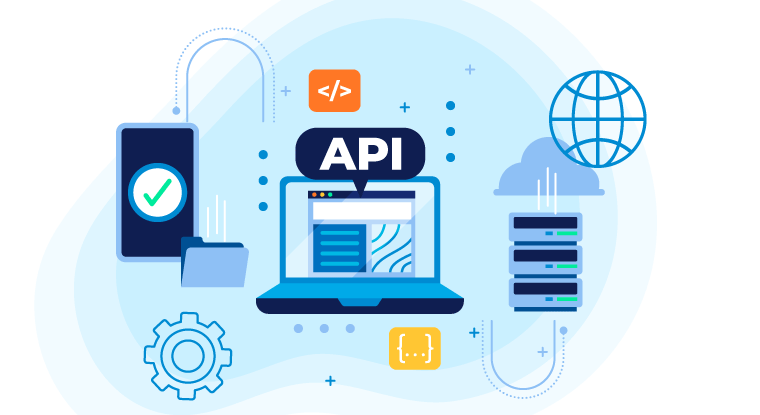
APIs operate based on data sharing between applications, systems, and devices, facilitated by a request-response cycle. Here's a brief overview of the process.
1. API Client
The API client initiates the interaction by sending a request to the API server. Requests can be triggered in various ways, such as user input (e.g., typing a search term or clicking a button) or external events (e.g., notifications from other applications).
2. API Request
Requests vary in appearance and behavior depending on the API type but typically include the following components:
Endpoint: A dedicated URL used to access specific resources. For example, the /articles endpoint in a blog application contains logic for handling all article-related requests.
Method: Specifies the type of operation the client wants to perform on a given resource. REST APIs can be accessed using standard HTTP methods to perform common operations like retrieving, creating, updating, and deleting data.
Parameters: Variables passed to the API endpoint to provide specific instructions for processing the request. Parameters can be included in the URL, query string, or request body. For example, the /articles endpoint in a blog API might accept a "topic" parameter to access and return articles on a specific subject.
Request Headers: Key-value pairs that provide additional details about the request, such as content type or authentication credentials.
Request Body: The main part of the request, containing the actual data needed to create, update, or delete a resource. For example, when creating a new article in a blog application, the request body might include the article's content, title, and author.
3. API Server
The API client sends the request to the API server, which handles authentication, validates input data, and retrieves or manipulates data.
4. API Response
Finally, the API server sends a response to the client, typically containing the following components:
Status Code: A three-digit code indicating the result of the API request. Common status codes include 200 OK (the server successfully returned the requested data), 201 Created (the server successfully created a new resource), and 404 Not Found (the server could not find the requested resource).
Response Headers: Similar to request headers, these provide additional information about the server's response.
Response Body: Contains the actual data or content requested by the client or, in case of an error, an error message.
To better understand this process, consider an analogy: APIs are like restaurants. Customers (users) inform the waiter (API client) of their needs. The waiter receives the order and translates it into instructions the kitchen (API server) can understand, sometimes using specific codes or abbreviations. The kitchen staff prepares the meal according to the customer's request and hands it to the waiter. Finally, the waiter delivers the meal to the customer.
What Are the Benefits of APIs?
APIs enable various software systems, applications, and devices to communicate and connect, offering numerous advantages, from enhancing user experiences to improving business efficiency.
1. Automation
APIs can automate repetitive and time-consuming tasks, allowing people to focus on more complex tasks and increasing productivity, especially for developers and testers.
2. Innovation
Public APIs, available to external engineering teams, foster innovation and accelerate development by enabling developers to repurpose existing functionalities to create new digital experiences.
3. Security
APIs provide an additional layer of protection by authenticating and authorizing requests to access sensitive data, preventing unauthorized intrusions.
4. Cost-Effectiveness
APIs offer access to useful third-party tools and infrastructure, helping businesses avoid the expenses associated with building complex internal systems.
What Are the Different Types of APIs?
APIs can be classified in various ways, including by access permissions.
1. Private APIs
Private APIs, also known as internal APIs, are used to connect different software components within the same organization and are not available to the public. For example, a social media application might include private APIs for handling login processes, news feeds, and user interactions. Some applications may even have dozens or hundreds of private APIs.
2. Public APIs
Public APIs provide open access to an organization's data, functionalities, or services, allowing third-party developers to integrate them into their applications. Some public APIs are free, while others require payment. For instance, an e-commerce application can integrate public payment APIs like Stripe to handle payments without building this functionality from scratch.
3. Partner APIs
Partner APIs enable two or more companies to share data or functionalities for collaborative projects. These APIs are not available to the public and use authentication mechanisms to ensure only authorized partners can use them.
What Are the Most Common API Architectural Styles?
APIs can also be classified by architectural style. Here are some commonly used styles:
1. REST
REST is currently the most popular API architecture for internet data transmission. In RESTful architectures, resources are accessed via endpoints, and standard HTTP methods (such as GET, POST, PUT, and DELETE) are used to perform operations on these resources.
2. SOAP
SOAP, or Simple Object Access Protocol, uses XML to transmit highly structured messages between clients and servers. SOAP is often used in enterprise environments or legacy systems and includes advanced security features, although it may be slower compared to other API architectures.
3. GraphQL
GraphQL is an open-source query language that allows clients to retrieve exactly the data they need by interacting with a single API endpoint, eliminating the need to chain multiple requests. This approach reduces the number of round trips between the client and server, making it particularly useful for applications with slow or unstable network connections.
4. Webhooks
Webhooks are used to implement event-driven architectures, where requests are automatically sent in response to events. For example, when a specific event (such as a payment) occurs in an application, the application can send an HTTP request to a pre-configured Webhook URL, including relevant event data in the request payload. The system receiving the Webhook then processes the event and takes appropriate action.
5. gRPC
RPC stands for Remote Procedure Call, and gRPC is an API developed by Google. In gRPC architectures, clients can call servers as if they were calling local objects, facilitating communication between distributed applications and systems.
What Are the Common Use Cases for APIs?
APIs are versatile and support a wide range of applications.
1. Integration with Internal and External Systems
One of the common reasons developers use APIs is to integrate one system with another. For example, integrating a Customer Relationship Management (CRM) system with a marketing automation system allows sales representatives to automatically send marketing emails when adding new leads to the CRM.
2. Adding or Enhancing Functionalities
APIs enable applications to integrate additional functionalities, improving user experiences. For example, when developing a food delivery app, integrating a third-party map API allows users to track order deliveries.
3. Connecting IoT Devices
APIs are crucial for the Internet of Things (IoT) ecosystem, encompassing devices like smartwatches, fitness trackers, doorbells, and home appliances. Without APIs, these devices could not connect to the cloud or to each other, rendering them useless.
4. Creating More Scalable Systems
APIs are used to implement microservices-based architectures, where applications consist of a series of small services that communicate via private APIs. Microservices are managed, deployed, and configured independently, enabling teams to scale systems reliably and cost-effectively.
5. Reducing Costs
APIs help businesses lower operational costs by automating time-consuming tasks, such as sending emails, generating reports, and sharing data between systems. They also allow teams to reuse existing functionalities, reducing development costs.
6. Enhancing Organizational Security and Governance
APIs support many workflows critical to organizational security. For example, Single Sign-On (SSO) allows users to access multiple systems with one username and password, and APIs are the cornerstone of this functionality. Additionally, APIs are used to enforce and automate corporate governance rules and policies, such as requiring employees to obtain expense approvals before submitting reimbursements.
What Are Some Real-World Examples of API Applications?
For practical examples of API applications, explore public API directories like Postman's Public API Network. This network, with over 40 million developers, is a searchable and well-organized library of APIs, making it easy to find suitable APIs. You can use the network's search function to find specific APIs or browse by category for inspiration. Here are some examples of companies with excellent APIs listed on the Public API Network:
1. Salesforce
Salesforce is a cloud-based Customer Relationship Management (CRM) software that helps clients find and connect with potential customers, close deals, and deliver services on a large scale. The Salesforce Public Workspace offers a wealth of API resources for developers working on the Salesforce cloud platform and products.
2. Notion
Notion is a note-taking application that provides a unified space for thinking, writing, and planning. The Notion team has published a set of clear and easy-to-understand tutorials to help developers quickly get started with the Notion API, offering up-to-date and practical solutions for connecting and automating tasks within Notion.
3. Discord
Discord is a social platform that supports voice, video, and text messaging, as well as media and file sharing. The Discord team has released resource packs to help developers build Discord applications, customize Discord servers, and provides getting-started guides.
4. Pinterest
Pinterest allows users to share images, connect with others, and find inspiration. The Pinterest API significantly expands the functionality available to website or application developers and includes getting-started guides.
5. DoorDash
DoorDash is a food ordering and delivery platform. DoorDash Drive leverages DoorDash's on-demand logistics platform and delivery fleet to deliver goods quickly and conveniently. The DoorDash team has released a series of resources to make it easy to get started with the DoorDash API.
Other Common Questions About APIs
1. Who Uses APIs?
While developers are most likely to encounter APIs in their work, Postman's API State of the Union Report reveals that many non-developers, such as product managers, business analysts, and customer support professionals, also use APIs.
2. Which Industries Use APIs?
APIs are widely used in the technology industry and serve as the primary building blocks for applications and other digital services. Financial institutions rely on APIs to facilitate customer, while healthcare providers use APIs to manage and secure patient data.
3. What Is an API-First Strategy?
An API-first strategy is a software development approach that designs and builds applications as a collection of internal and external services delivered via APIs. APIs are the building blocks of these applications, and this strategy helps teams prioritize the quality, security, and performance of APIs.
4. What Tools Can Help You Build and Integrate APIs?
API development is an iterative and collaborative process, and using the right tools is crucial to ensure a smooth workflow. Teams should use source code control management tools like GitHub or BitBucket to track API changes and CI/CD pipelines like Jenkins or CircleCI to automate API testing and deployment. Additionally, teams need to use an API platform that integrates with these tools to reduce friction and enhance existing workflows.
5. How Do You Build an API?
The API development process varies depending on the API's purpose, language, and scope. Each new API requires design, implementation using an API development framework, and comprehensive testing to ensure it functions as expected.
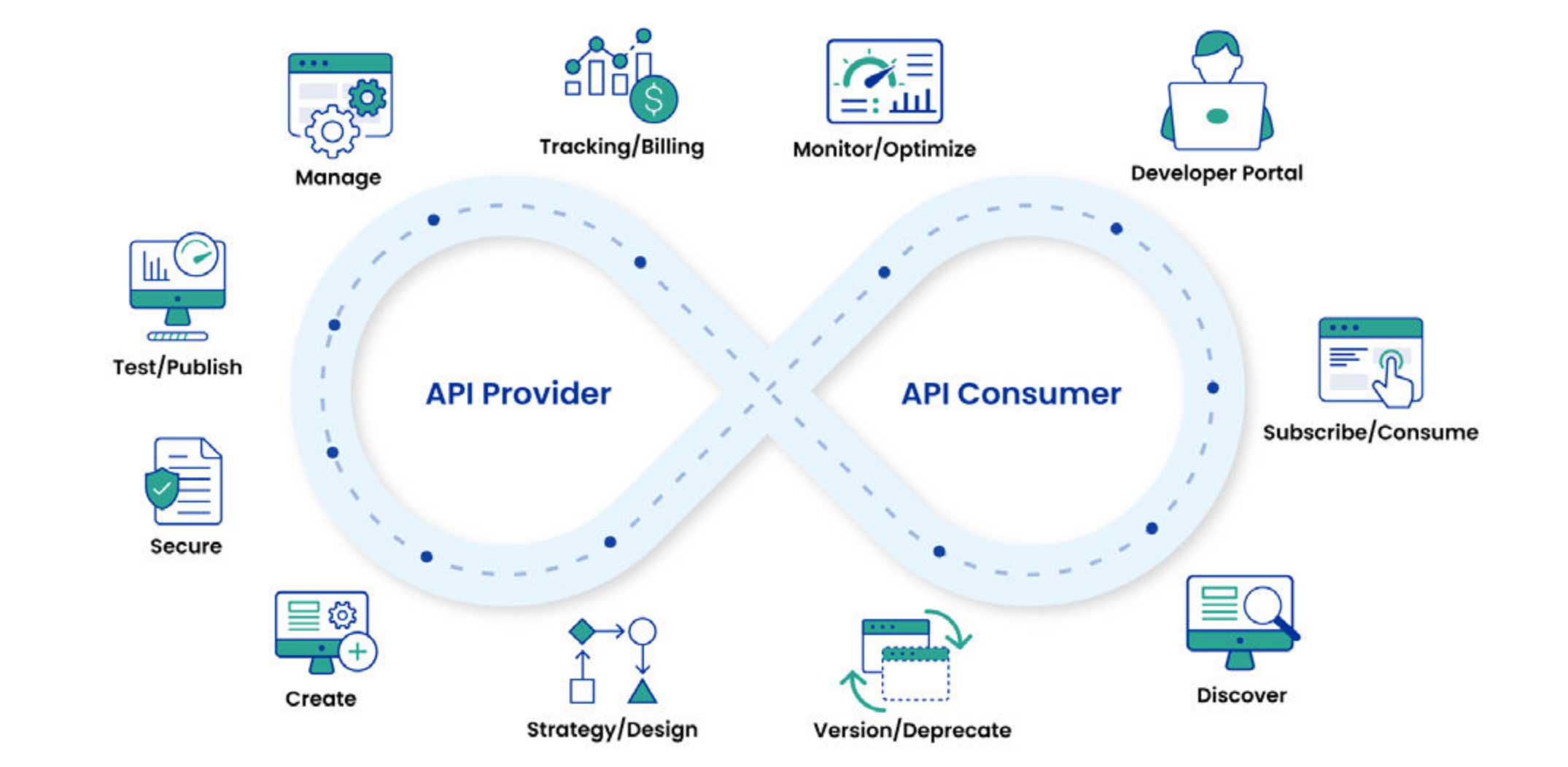
6. What Is API Management?
API management refers to establishing efficient and standardized processes for API operations. Organizations that prioritize API management often leverage API platforms like Postman to help design, develop, test, secure, deploy, and monitor APIs at scale. This reduces redundant work, improves collaboration, enhances transparency in API-related projects, and fosters synergy within the organization.
7. What Are the Differences Between SOAP APIs and REST APIs?
SOAP (Simple Object Access Protocol) and REST (Representational State Transfer) are two common architectural styles for building APIs. SOAP APIs use XML and include built-in security and error-handling features, making them suitable for enterprise environments with strict standards. REST APIs use JSON for resource representation, which is more concise than XML and typically easier to understand, use, and integrate than SOAP APIs, although they lack some of SOAP's advanced features.
8. What Are the Differences Between APIs and Webhooks?
Webhooks are lightweight callback functions that facilitate event-driven communication between APIs. In a traditional request-response cycle, the API client actively sends a request to the API server to retrieve data or perform an operation. In contrast, Webhooks listen for specific events (such as the creation of a new user account or the completion of a payment) and execute a pre-configured action in response, eliminating the need for the API client to poll the server. The server automatically performs the appropriate action or returns relevant data when the specified event occurs.
9. What Are the Differences Between Service-Oriented Architecture (SOA) and Microservices Architecture?
Both Service-Oriented Architecture (SOA) and microservices architecture consist of modular services that perform specific business functions, but they have key differences. Microservices communicate with each other via APIs, while SOA services rely on an Enterprise Service Bus (ESB) for message routing, transformation, and management. SOA services typically use the SOAP protocol, whereas microservices tend to use lightweight protocols like REST. SOA services have a lower granularity than microservices and may have dependencies on each other.









